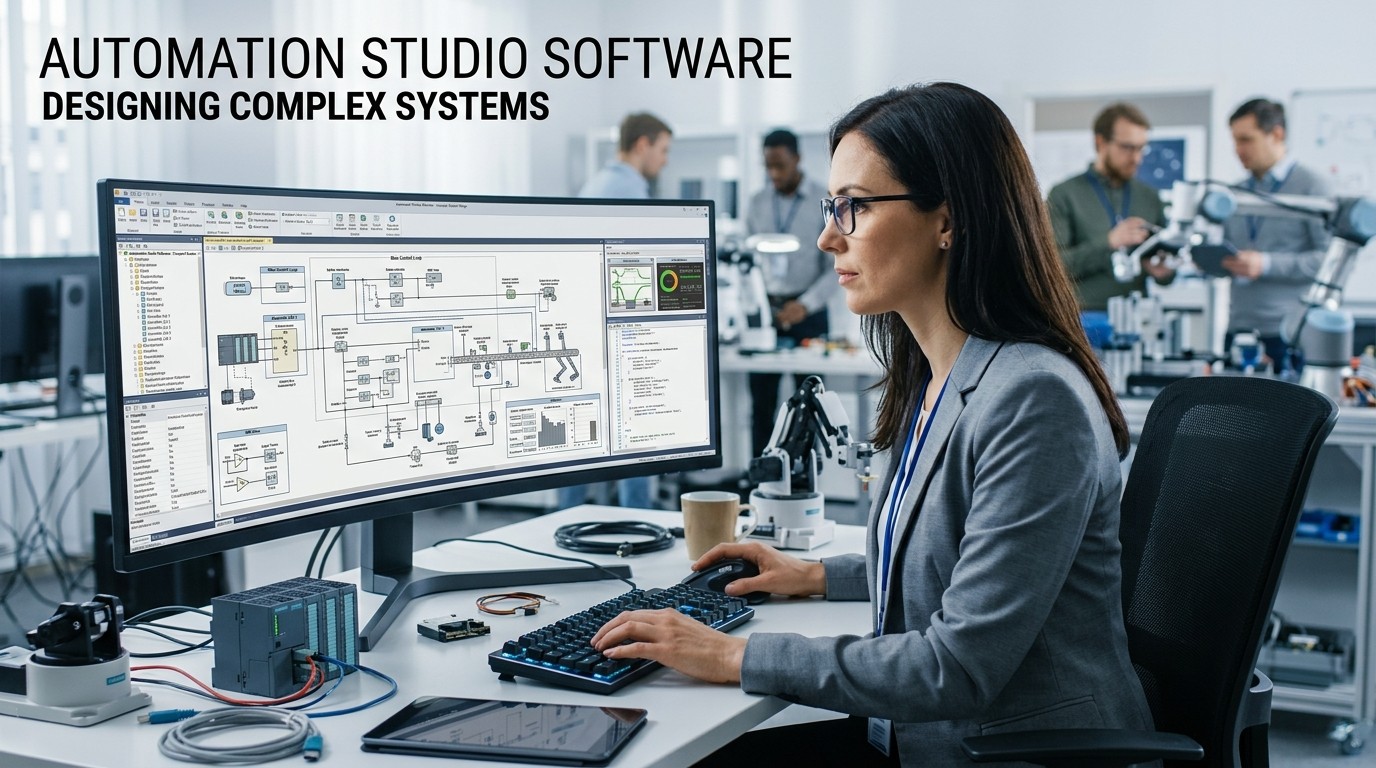
A platform for engineering design and simulation helps teams organize complex workflows, validate ideas earlier, and reduce costly handoff errors before a machine is built.
Automation Studio Software is easiest to understand as a single environment where engineers can design, simulate, document, and troubleshoot multiple technologies without constantly switching tools. Famic Technologies says the professional edition covers hydraulics, pneumatics, electro-hydraulic and electro-pneumatic circuits, electrical control, PLC, communication, HMI, and virtual system design, while the educational edition supports electrical one-line, PLC, digital electronics, BOM, and training use cases. That combination matters because complex systems are rarely solved by one discipline alone.
Automation Studio Software also fits the broader definition of automation itself. ISA defines automation as the creation and application of technology to monitor and control the production and delivery of products and services, while IBM describes automation as applying technology, programs, robotics, or processes to achieve outcomes with minimal human input. Those definitions explain why this kind of software is valuable: it helps teams move from idea to controlled, repeatable engineering behavior with fewer surprises.
Automation Studio Software is also a good example of why complex systems need a shared workspace. When hydraulics, electrical controls, PLC logic, and documentation all sit in separate tools, the project becomes harder to validate and easier to misread. Famic’s own product pages emphasize a common environment for design, simulation, documentation, and troubleshooting, which is exactly the kind of structure teams need when system complexity begins to rise.
Why complex systems need one common environment
Automation Studio Software is valuable because complex machines are rarely simple on paper. A valve may affect flow, a sensor may affect logic, and a controller may affect safety or sequence timing. When those pieces live in one common environment, the engineer can see how the decisions interact before the physical build is underway. Famic says the platform is designed to combine project and machine technologies through the full lifecycle, which supports earlier validation and fewer disconnects later.
Automation Studio Software helps reduce the classic problem of “team translation.” Mechanical, electrical, and controls specialists often describe the same system in different ways, and that mismatch can slow down review cycles. Famic explicitly notes that combining technologies in one environment improves collaboration among fluid power, electrical, and control specialists, which is a direct answer to that communication gap. A shared model is often the easiest way to align everyone around the same machine behavior.
Automation Studio Software also matters because early simulation catches expensive mistakes sooner. If a project only becomes “tested” after hardware is built, the cost of change rises sharply. Famic’s product descriptions emphasize dynamic and realistic simulation, which makes the software more than a diagramming layer. It becomes a way to test assumptions, verify control logic, and reduce the chance that a machine reaches the floor with hidden problems still inside it.
What the platform is actually built to do

Automation Studio Software is not a narrow drafting utility. The professional edition is described by Famic as a unique design and simulation software covering fluid power, electrical, controls, HMI, and communications through the entire product lifecycle. That is important because projects of this type need more than a picture; they need a living model that can support design, documentation, and validation at once. In other words, the value is not only speed, but coherence.
Automation Studio Software also supports a broad set of engineering tasks that usually happen in different places. Famic lists hydraulic and pneumatic circuit design and simulation, electro-hydraulic and electro-pneumatic circuit design, fluid power component sizing, electrical control circuit design, and virtual system design on the professional side. On the educational side, Famic lists electrical one-line design, PLC control, digital electronics, BOM, manufacturer catalogues, and professional training. That spread makes the tool useful for both real projects and learning environments.
Automation Studio Software is therefore closer to an engineering platform than a single-purpose app. It can support early concepting, proof-of-behavior, documentation, and training in one environment. Famic’s support pages reinforce that by offering quick start guides, training videos, webinars, downloads, a viewer, teachware, and online training materials. A platform with that much surrounding support is built to be used continuously rather than casually.
How simulation changes decision-making
Automation Studio Software becomes especially useful when simulation is used to reduce uncertainty. Famic says the platform includes integrated simulation capabilities that allow teams to animate, analyze, and validate system performance. That matters because simulation is not only about looking realistic. It is about seeing how the design behaves when pressure, control logic, load, or sequence timing changes. Realistic simulation gives engineers a better way to think before they build.
Automation Studio Software also helps teams identify risk earlier in the workflow. If a control sequence fails in simulation, the engineer can revise it before hardware arrives or before the line is interrupted. Famic’s release materials for version 10 say the latest evolution supports the growing complexity of modern mobile and industrial systems, which shows how simulation is increasingly tied to full machine lifecycle thinking rather than just classroom exercises.
Automation Studio Software is most powerful when simulation supports communication. A model is easier to discuss than a long email thread, because the team can point to the same object and the same behavior. That shared visual reference helps reduce the “I thought you meant…” problem that often appears in technical projects. When the simulation matches the discussion, the meeting becomes more productive and the next step becomes clearer.
The value of one environment for multiple technologies
Automation Studio Software stands out because it brings fluid power, electrical, controls, and communication into one workflow. Famic’s professional page states that the software covers the project and product lifecycle and helps users combine these technologies to design, document, and simulate complete systems. That is important in real engineering, because a machine is not “just hydraulic” or “just electrical.” It is usually both, plus a control layer, plus a documentation layer.
Automation Studio Software also supports the way modern teams actually work. The same project may be touched by design engineers, trainers, maintenance teams, support staff, and sales engineers. Famic says the software is used throughout an organization for system design, simulation and validation, training, maintenance, troubleshooting, technical publications, project documentation, and sales support. That range shows why a common environment is so useful: it can serve several departments without forcing each one to rebuild the same logic from scratch.
Automation Studio Software is especially helpful when the system needs to be explained to people who did not build it. Documentation, animation, and simulation make the model easier to share with customers, operators, and colleagues. In practice, that means the software can support more than engineering. It can support onboarding, review, and handoff, which are often the hidden places where projects slow down.
Edition choice matters
Automation Studio Software comes in at least two major editions on the official site: Professional and Educational. Famic describes the professional edition as a complete lifecycle solution for project and machine technologies, while the educational edition is positioned as a teaching and learning solution with design, simulation, documentation, and instructional support. The distinction matters because the right edition depends on whether the user is building production systems or teaching system concepts.
| Edition | Main use | Key strengths |
|---|---|---|
| Professional | Engineering and lifecycle work | Fluid power, electrical, controls, HMI, communications, simulation, documentation |
| Educational | Teaching and learning | One-line design, PLC, digital electronics, BOM, training material, labs |
Automation Studio Software is therefore not a one-size-fits-all purchase. The professional version is aimed at lifecycle and productivity work, while the educational version is built to help instructors and students create or reproduce assignments and learning material. That difference is significant because it shows that the same core platform can serve industry and education without confusing the two missions.
Automation Studio Software also gives teams a viewer and support materials, which can make the transition smoother when projects need to be shared or reviewed. Famic’s downloads page says the free Viewer opens projects in read-only mode, and the support area includes quick start guides, training videos, webinars, teachware, and product brochures. That surrounding ecosystem is a major part of the product’s practical value.
Documentation, BOM, and real handoff work

Automation Studio Software matters because engineering work does not end at simulation. Someone has to hand the project off, explain the components, and keep the record usable later. Famic’s educational feature overview mentions print and export, control panels, templates, and the ability to create or share information in standardized ways. Those features turn the model into something the rest of the organization can actually use.
Automation Studio Software also improves handoffs through documentation features. Famic says the professional edition includes flexible documentation functionalities and comprehensive animation features in one common environment. That helps teams produce reports, generate bill of materials, and keep project information aligned with the design. When the model and the documentation stay in sync, the chance of error falls.
Automation Studio Software can also reduce the “lost context” problem. In many projects, the original design intent disappears when separate teams rewrite or re-interpret it. By keeping the design, simulation, and documentation linked, the software makes it easier to preserve the meaning of the system over time. That matters in long projects, support work, and maintenance planning.
Collaboration and shared understanding
Automation Studio Software helps because it creates a place where people can look at the same system and talk about it with less ambiguity. Famic’s newsroom has described the software as a common environment that enhances communication among fluid power, electrical, and control specialists. That kind of shared reference is valuable when a project has more than one expert discipline involved.
Automation Studio Software also helps managers and support teams interpret the project without needing to decode separate drawings, spreadsheets, and notes. Since the software is used for training, troubleshooting, technical publications, and sales support, it becomes a language bridge inside the organization. That is especially helpful when a project moves from design into maintenance or customer explanation.
Automation Studio Software can be compared to a good operating system for engineering conversations. The file type may be technical, but the benefit is social: fewer misunderstandings, faster decisions, and better coordination. When the tool makes the system visible, the team can spend less time translating and more time solving the actual problem.
Training and education
Automation Studio Software is useful in education because learners need more than static drawings. Famic says the educational edition helps teachers deliver content and improves learning experiences with realistic illustrated components, forums, demonstration files, custom libraries, and shared projects. That makes the software more than a lab exercise tool; it becomes a structured way to teach real system thinking.
Automation Studio Software also supports repeatable exercises, which is important because technical education depends on practice. The downloads page mentions teachware and interactive laboratory exercises for licensed users with active maintenance plans. That means students and instructors can work from a shared set of materials instead of building every lesson from scratch. Repetition matters in engineering education because it helps patterns become clear.
Automation Studio Software can also feel structurally similar to Laboratory Automation Software style environments because both value repeatable procedures, consistent setup, and controlled outcomes. The comparison is not about replacing one with the other; it is about recognizing that learners benefit when they can replay a process, adjust a parameter, and see the result in a reliable environment.
A fit for industry and operations
Automation Studio Software belongs to the same broad world as Industrial Automation Software because it is built for real engineering systems rather than consumer productivity tasks. Famic says the software is used across organizations for design, validation, maintenance, troubleshooting, documentation, and sales support, which is exactly the kind of workflow breadth that industrial teams need. That breadth makes it useful for projects where multiple technologies must behave as one.
Automation Studio Software also supports the operational side of engineering. If a machine is down, the team needs a way to understand the logic, the components, and the control flow quickly. If a new design is being evaluated, the team needs a way to compare options before investing in hardware. The platform’s combination of simulation, documentation, and collaboration makes those conversations much faster to organize.
Automation Studio Software is especially useful when the organization treats knowledge as a reusable asset. A simulation, a teachware module, a brochure, or a viewer file can all keep the project moving even when the original engineer is busy. That kind of reuse is what gives the software long-term value beyond one design cycle.
Release cycle and current relevance
Automation Studio Software is still actively evolving. Famic announced Automation Studio version 10 on February 2, 2026, describing it as a major evolution of the flagship platform designed to support the growing complexity of modern mobile and industrial systems. That update matters because a design and simulation tool has to keep pace with the systems it is used to model.
Automation Studio Software remains relevant because the engineering problem has not gone away. Systems are becoming more integrated, more multi-technology, and more dependent on early validation. Famic’s newest release language specifically points to machine-lifecycle support, which shows that the platform is still positioned for modern design and simulation work. That helps explain why teams continue to use it across multiple departments.
Automation Studio Software also benefits from a support structure that seems built for continuous use. Product registration, installation guides, technical support portals, training, webinars, downloads, and maintenance plans all point to a tool that expects to stay in the workflow rather than disappear after setup. That support footprint often matters as much as the feature list because complex projects need durable help.
Where the platform sits in a growth mindset

Automation Studio Software is a good example of how a technical platform can support business growth indirectly. Faster validation can shorten project cycles. Better documentation can reduce errors. Easier collaboration can keep teams aligned. Those are operational improvements, but they also affect cost, quality, and delivery speed. When the machine lifecycle is easier to manage, the business can move with more confidence.
Automation Studio Software also fits a broader pattern seen in other software ecosystems. The same segmentation logic that helps a Local Market App Strategy can help an engineering team decide which modules, standards, and user roles matter most. In the same way a team might compare a Best App Market Android Alternative by reach, control, and maintenance, an engineering group compares simulation tools by coverage, collaboration, and long-term fit.
Automation Studio Software therefore rewards a strategic mindset. The question is not only whether the tool can draw a diagram. The real question is whether it can keep a complex, multi-discipline project understandable from first concept to final support. Famic’s product pages suggest that this is exactly the role the platform was designed to play.
Common mistakes to avoid
Automation Studio Software works best when teams use it as a shared project environment rather than a private drafting tool. If one person owns the model and nobody else can read or reuse it, the collaboration benefit disappears. Famic’s viewer, teachware, and support resources are useful precisely because they make the software easier to share across roles.
Automation Studio Software also loses value when simulation is disconnected from real decisions. A model should help the team choose, validate, or explain something. If it does not affect the actual workflow, it becomes a pretty artifact instead of an engineering asset. The platform’s own positioning around lifecycle support suggests that simulation is meant to support action, not sit on a shelf.
Automation Studio Software should also be matched to the right edition and support plan. The educational edition is designed for learning and teaching, while the professional edition is aimed at project/product lifecycle work. Picking the wrong environment can make the rollout feel harder than it should. Matching the tool to the use case is one of the easiest ways to avoid friction.
What each edition helps with
| Need | Professional edition | Educational edition |
|---|---|---|
| Design and simulation | Strong fit for engineering projects | Strong fit for teaching and lab work |
| Documentation | BOM, reports, lifecycle support | Templates, export, learning material |
| Training | Internal knowledge transfer | Student and instructor workflows |
| Sharing | Viewer and support resources | Teachware and lab exercises |
Automation Studio Software becomes easier to justify when the team sees how the edition maps to the workflow. A good fit reduces training friction, improves adoption, and keeps the tool useful after the first project is over. That is the real test of any engineering platform.
Conclusion
Automation Studio Software is strongest when it is treated as a common engineering environment for design, simulation, documentation, and collaboration. Famic’s official pages show that the platform covers fluid power, electrical, PLC, communications, and virtual system work, while its educational edition extends those ideas into structured learning and lab-style training. The result is a tool that helps teams think earlier, communicate better, and validate more confidently. In complex systems, that combination is often what keeps projects moving. As engineering becomes more integrated and more multidisciplinary, platforms like this matter because they reduce confusion, preserve context, and make the machine lifecycle easier to manage from concept to support.
Frequently Asked Questions (FAQ)
1. What is Automation Studio Software used for?
Automation Studio Software is used for designing, simulating, documenting, and validating multi-technology systems such as hydraulic, pneumatic, electrical, PLC, and communication-based projects. Famic positions it as a lifecycle solution for complex engineering work.
2. Is it only for industrial engineers?
No. Automation Studio Software is also used in education and training. Famic’s Educational Edition is built for teaching, learning, lab exercises, and classroom-style workflow support.
3. Does it support simulation?
Yes. Famic says the platform includes integrated simulation capabilities that help users animate, analyze, and validate system performance. That is one of the software’s core strengths.
4. Can it help with documentation?
Yes. The professional edition includes documentation features, and the educational edition supports BOM and export workflows. That means the platform can help both with project records and with instructional materials.
5. Is there a free viewer?
Yes. Famic’s downloads page says the free Viewer opens projects created in the professional and educational editions in read-only mode. That is useful for sharing and review.
6. What kind of support is available?
Famic offers quick start guides, training videos, webinars, a technical support portal, downloads, teachware, and maintenance plans. Those resources make it easier to learn and keep using the software.
7. Is the software still being updated?
Yes. Famic announced Automation Studio version 10 on February 2, 2026, calling it the latest major evolution of the platform. That shows the product is still actively evolving.
8. How does it help collaboration?
Automation Studio Software helps collaboration by putting multiple technologies into one shared environment. Famic says this improves communication among fluid power, electrical, and control specialists.
9. What is the difference between the editions?
The Professional Edition is aimed at engineering and lifecycle work, while the Educational Edition is aimed at teaching, learning, and lab-based training. Both share the same core idea of multi-technology design and simulation.
10. Why does this software matter for complex systems?
It matters because complex systems need one shared model, one simulation logic, and one clear documentation path. Automation Studio Software reduces the friction that usually appears when many disciplines must work together on the same machine.