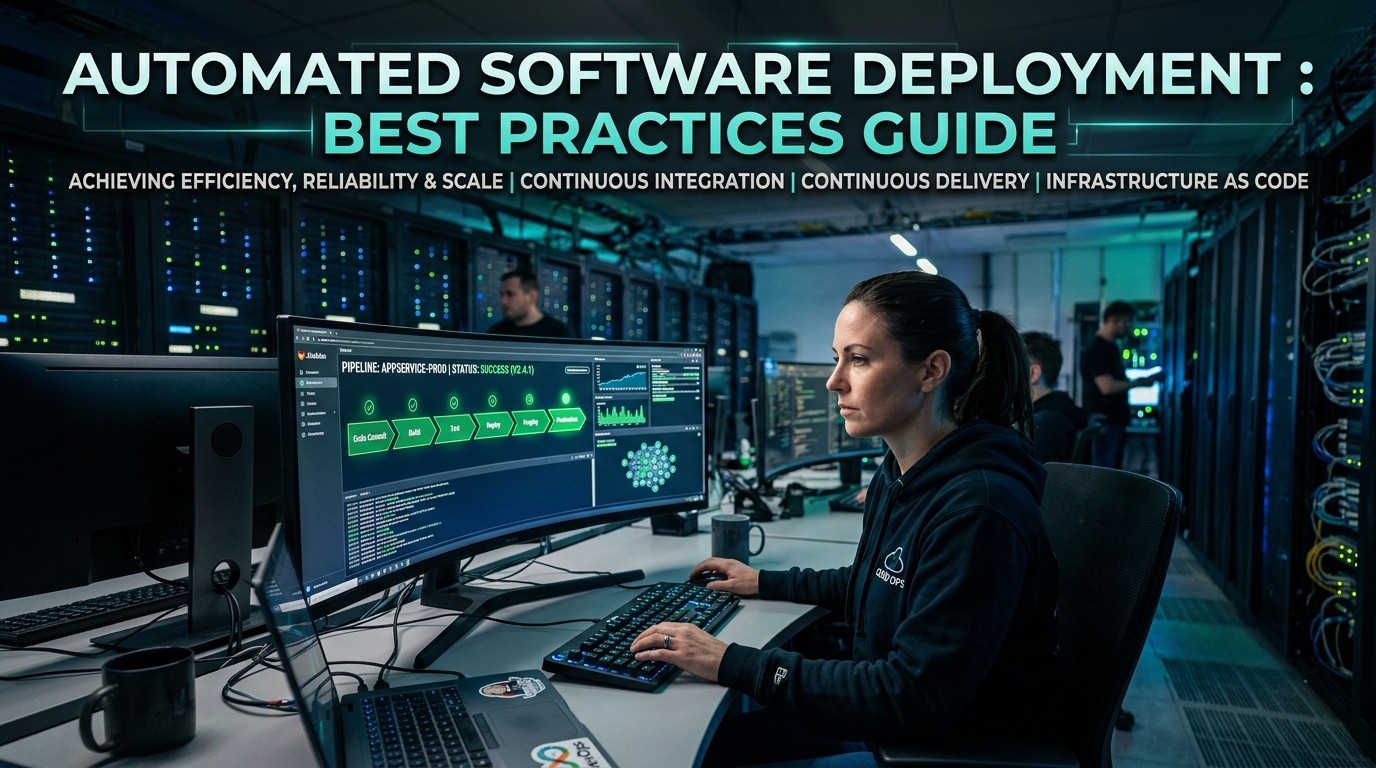
A strong deployment system reduces release risk, shortens delivery time, improves consistency, and helps teams ship with confidence by replacing manual steps with repeatable controls.
Automated Software Deployment is not just a speed upgrade; Automated Software Deployment is a reliability strategy that reduces human error, keeps releases repeatable, and gives teams a safer way to ship changes. When deployment becomes predictable, engineers spend less time worrying about fragile handoffs and more time improving the product itself. That shift matters because production releases are rarely broken by one dramatic mistake; they are usually broken by small steps that were skipped, rushed, or misunderstood.
A modern deployment process should feel like a controlled system, not a stressful event. Automated Software Deployment creates that control by making build, test, approval, and release steps happen the same way every time. That consistency protects teams when they are tired, busy, or scaling fast. It also makes incidents easier to diagnose because there is a clear record of what happened and when it happened.
Manual deployment often works until the team grows, the release frequency increases, or the product becomes more complex. Then a single missed step can create delays, outages, or rollback confusion. Automated Software Deployment reduces that risk by making the process more visible and less dependent on memory. It also helps teams build trust with stakeholders who want proof that releases are handled with care.
For many organizations, deployment automation is the first real sign that engineering maturity is improving. The team starts to think in systems instead of reactions. Releases become routine instead of heroic. That is important because sustainable delivery is not built on last-minute effort. It is built on processes that work even when people are under pressure.
Start With a Clear Release Design
The first step in good release engineering is to define what a successful release should look like. Automated Software Deployment works best when the team agrees on the path from code commit to production outcome. That means deciding which tests must pass, which checks must happen, who approves what, and what conditions trigger a rollback. Without that design, automation can only move chaos faster.
A well-designed pipeline should be boring in the best possible way. Automated Software Deployment should not surprise the team with hidden branches, unclear permissions, or inconsistent behavior between environments. Instead, it should present a repeatable route that every release follows. That route can include build steps, unit tests, integration tests, security scans, packaging, deployment, and smoke checks after release.
The release design also needs to reflect business reality. Some updates are low-risk and can move quickly. Others touch payment logic, authentication, or data migration and require tighter review. Automated Software Deployment gives teams the flexibility to define different release paths for different types of changes. That flexibility matters because not every deployment deserves the same level of scrutiny, but every deployment deserves the right level of scrutiny.
A healthy release design protects both engineering speed and customer trust. When teams know the process, they can move faster without feeling reckless. That confidence is valuable because hesitation slows delivery just as much as mistakes do. The goal is not just to ship more often. The goal is to ship with a rhythm that people can rely on.
Build on Version Control and Branch Discipline

Source control is the foundation beneath every serious deployment workflow. Automated Software Deployment depends on clean version history because automation cannot rescue messy code organization. If branches are unclear, merges are inconsistent, or release tags are missing, the deployment process becomes harder to trust. Good version control habits make automation easier to understand and easier to debug.
Branch discipline matters because the deployment pipeline should know exactly what it is shipping. Automated Software Deployment becomes more dependable when teams use clear naming conventions, defined merge rules, and consistent tagging. That way, production artifacts can be traced back to the correct commit and the correct review history. Traceability is not glamorous, but it becomes incredibly important during incidents and audits.
A disciplined versioning process also helps with collaboration. Engineers can review changes in smaller pieces, product managers can understand what is going out, and operations teams can prepare for support needs. Automated Software Deployment is stronger when everyone sees the same source of truth. That shared visibility lowers confusion and reduces the chance that two teams are working from different assumptions.
This is also where release notes become useful. Clear notes turn technical changes into business context. They help support teams answer questions, help QA know what to verify, and help leadership understand the value of each release. Good automation does not remove communication. It makes communication easier by giving everyone a stable release record to talk about.
Testing Should Be Part of the Pipeline, Not an Afterthought
Testing is only helpful when it is close to the place where failure can happen. Automated Software Deployment should include tests as part of the delivery path, not as a separate task that might be skipped under deadline pressure. Unit tests, integration tests, end-to-end checks, and smoke tests each serve a different purpose. Together, they create a safety net that protects both code quality and user experience. Automated Software Deployment is much stronger when that net is built into the workflow.
The best test strategy is usually layered. Fast tests catch small code mistakes quickly. Broader tests catch interaction problems between services, databases, or API endpoints. Human review still matters, but it should be supported by automation wherever possible. Automated Software Deployment works best when the pipeline is designed to fail early, fail clearly, and fail before the release reaches users.
Teams should also think carefully about test maintenance. A test suite that is outdated or full of false alarms can become a burden instead of a benefit. Automated Software Deployment should improve trust, not weaken it. That means tests need to be reviewed, cleaned up, and aligned with how the product actually behaves. If the tests are noisy, people stop believing them. If the tests are meaningful, they become one of the most valuable parts of the release system.
Another important rule is to keep test signals understandable. If a test fails, the team should know why it failed and what to do next. Clear failure messages save time, reduce frustration, and make the pipeline easier to own. The best automation does not hide complexity. It organizes it so that people can act on it quickly.
Environment Consistency Keeps Releases Honest
One of the biggest causes of deployment confusion is environment drift. A build that works in development but fails in staging or production is usually exposing a mismatch in configuration, dependencies, or infrastructure. Automated Software Deployment helps reduce that risk by pushing teams to standardize environments as much as possible. If every environment behaves differently, automation will only magnify the difference.
Infrastructure as code is one of the most effective ways to manage consistency. Automated Software Deployment becomes far more stable when servers, containers, networks, and permissions are defined in version-controlled configuration rather than manually adjusted in the background. That approach makes environments easier to recreate and easier to audit. It also reduces the mystery around how a system was built in the first place.
The same discipline can support other business operations too. Teams that rely on Automated Data Entry Software often discover that standardization matters just as much there as it does in engineering. If inputs, formats, and validation steps are not consistent, the process slows down and errors spread. That parallel is useful because it shows why deployment and operations both benefit from repeatable logic instead of one-off handling.
A good environment strategy also includes separate layers for development, testing, staging, and production. Each layer should have a clear purpose. Automated Software Deployment should move code through those layers in a way that reflects risk. Less sensitive updates can move faster, while more critical changes can require additional checks. That structure keeps release pace healthy without sacrificing confidence.
| Environment | Main Purpose | Typical Control |
|---|---|---|
| Development | Fast iteration | Local or shared test builds |
| Staging | Release rehearsal | Production-like configuration |
| Production | Live customer use | Strong approval and monitoring |
Choose the Right Tooling Stack
Tool choice matters, but it should serve the process rather than define it. Automated Software Deployment works best when the tools support repeatability, visibility, and rollback control. That may include CI servers, deployment runners, infrastructure tools, monitoring systems, and secret managers. The point is not to collect the most tools. The point is to connect the right tools into a dependable path from code to release.
A strong tooling stack should be easy to understand. If a pipeline only one specialist can operate, the team becomes vulnerable when that person is unavailable. Automated Software Deployment should be understandable by more than one person so knowledge does not disappear into a single head. Simplicity also helps onboarding because new engineers can learn the deployment flow faster when it is not overloaded with hidden logic.
Many teams also look at support tools outside core engineering. Automated Data Entry Software Tools, for example, show how carefully chosen tools can reduce repetitive work in other parts of the business. That same mindset helps release engineering: choose tools that remove manual burden, but keep enough transparency that the team can still reason about what they do. Automation should reduce friction, not hide important behavior.
A practical stack also includes communication around errors. A failure that lands silently in a log file does not help anyone. Notifications, dashboards, and clear status reporting make the pipeline more actionable. Automated Software Deployment becomes much more effective when the toolchain tells the team what happened in plain language and where attention is needed next.
Protect Secrets and Reduce Access Risk
Security cannot be separated from deployment. Automated Software Deployment touches credentials, API keys, environment variables, and service permissions, so safe handling of secrets is essential. If sensitive values are copied manually or stored carelessly, automation can create a wider blast radius instead of a safer one. The goal is to make release processes efficient while keeping access tightly controlled.
Teams should use secret managers, limited permissions, and role-based access wherever possible. Automated Software Deployment should not require broad admin rights for everyday release work. Smaller permissions reduce the chance of misuse and make audits easier. They also make it clearer which systems can change production and which systems can only observe it. That distinction is one of the simplest ways to improve security discipline.
Password hygiene matters too, even in technical environments. A Password Manager Plugin can reduce weak password reuse and help teams keep credentials organized without exposing them in unsafe places. That kind of support may look small, but it fits the same philosophy as deployment automation: reduce manual risk, make safe behavior easier, and keep sensitive information under control.
Access reviews should happen regularly. People change roles, projects shift, and temporary permissions often stay too long. Automated Software Deployment should be paired with periodic review so that access does not become stale. A good release process is not only about delivering code. It is also about making sure the right people can reach the right systems for the right reason.
Monitor Every Release and Prepare for Rollback

No deployment process is complete if it does not tell you what happened after release. Automated Software Deployment should always include monitoring, alerting, and health checks that confirm the system is behaving as expected. Without those signals, a team may assume success simply because the pipeline completed. Real confidence comes from seeing the application perform well after it reaches users.
Rollback planning is part of that confidence. Automated Software Deployment should not treat rollback as a panic move. It should treat rollback as a prepared option that can be used when metrics, errors, or user behavior show that something is wrong. The faster a team can revert safely, the less damage a bad release can do. That safety net encourages better decisions because the team knows it has a controlled exit path.
Good observability includes logs, metrics, traces, and business indicators. The technical team may watch latency or error rate, while product teams may watch conversion or session stability. Automated Software Deployment becomes far more useful when those signals are visible in one place and easy to interpret. If people can see the effect of a release quickly, they can act before small issues become large incidents.
Marketing and creative teams benefit from this too. When iOS App Marketing Videos are being prepared, everyone wants the product version shown in those materials to match the live release. If deployment is unstable, the marketing story becomes harder to trust. Reliable monitoring keeps product, launch, and customer-facing assets aligned with the real system.
Coordinate Across Product, QA, and Operations
Deployment automation works best when it is not treated as a solo engineering task. Automated Software Deployment should connect product, QA, operations, support, and leadership around the same release goals. Each group sees the product from a different angle, and those perspectives matter. A release may look technically clean but still fail a business expectation if the timing, message, or readiness are off.
This is where release planning meetings can help. A short check-in before a major change gives everyone a chance to surface risks, dependencies, and timing issues. Automated Software Deployment supports that meeting by making the release path clear and repeatable. Instead of debating how to ship, the team can focus on what should ship and what risks should be watched.
The same principle appears in creative work too. An App Marketing Strategy Firm often depends on stable release timing because campaign plans, launch messaging, and user-facing materials all need the product to behave as promised. When deployment is consistent, external partners can plan more confidently. That creates a healthier relationship between the product team and the people who present it to the market.
Documentation makes coordination easier. A release checklist, a runbook, and a simple deployment map can reduce questions and speed up handoffs. Automated Software Deployment should make those documents more accurate because the process itself becomes more stable. When the pipeline is clear, the written plan can stay clear too.
Use Rollouts to Reduce Risk Gradually
Big-bang releases are stressful because every user gets the change at once. Gradual rollout strategies lower that pressure. Automated Software Deployment can support canary releases, phased rollouts, blue-green deployments, and feature flags so the team can observe behavior before full exposure. That approach is especially useful when a change touches login, billing, search, or other high-traffic areas.
A gradual rollout works because it creates a smaller learning window. Automated Software Deployment can release to a limited audience first, then expand if the metrics look healthy. If something breaks, the blast radius is smaller and the rollback decision is easier. That kind of control is one of the strongest reasons teams move toward automated release systems in the first place.
Feature flags add even more flexibility. They let teams separate code deployment from feature release, which means code can be shipped safely before it is visible to all users. Automated Software Deployment becomes smarter when shipping and exposure are not treated as the same event. That separation helps teams move quickly without forcing every change into immediate public visibility.
This gradual approach also lowers emotional pressure. Teams are less likely to panic when they know only a fraction of users are affected. That calmer mindset leads to better decision-making. The process becomes less about hoping for the best and more about observing, learning, and expanding only when the data supports it.
Common Mistakes That Slow Down Teams
One of the most common mistakes is automating a broken process. Automated Software Deployment cannot fix unclear ownership, poor testing, or weak version discipline. If the underlying workflow is chaotic, automation simply locks the chaos into code. The right first step is to simplify the process before trying to speed it up.
Another mistake is overcomplicating the pipeline. Too many stages, approvals, and special cases can make the system hard to maintain. Automated Software Deployment should reduce friction, not bury the team in exceptions. Good automation is usually elegant because it keeps only the steps that are truly necessary. Anything else becomes maintenance debt.
Teams also make the mistake of ignoring documentation once the tooling works. But deployment knowledge changes over time, and people forget details quickly. Automated Software Deployment needs a written record so the team can understand the system after a role change, an incident, or a long break. Documentation is not extra. It is part of the release system itself.
Finally, some teams forget to measure the release process itself. They track product metrics but ignore lead time, failure rate, or rollback frequency. Automated Software Deployment should improve those delivery metrics too. If the team cannot see whether the process is getting better, it cannot know whether the automation is actually helping.
Scale the Process as the Organization Grows
What works for a small team may not work for a larger one. Automated Software Deployment should evolve with the organization. As the number of services, engineers, and release paths grows, the system needs better ownership, better auditing, and clearer separation between safe changes and sensitive changes. Otherwise, the process becomes harder to maintain than the application itself.
Scaling also means standardizing the basics. Template pipelines, shared libraries, and reusable release patterns can help teams avoid rebuilding the same logic for every service. Automated Software Deployment becomes more sustainable when the organization invests in patterns that can be reused across products. That saves time and improves consistency.
The same logic helps non-engineering teams too. A business that compares Automated Data Entry Software options often discovers that scale depends on repeatable rules, not just raw speed. That lesson applies to release engineering as well. If every team invents its own process, the organization spends too much time translating between systems. Shared standards reduce that overhead.
As teams grow, governance becomes more important too. There should be a clear answer to who can change production, who reviews changes, and how incidents are escalated. Automated Software Deployment should support that governance by making the controls visible in the pipeline. When the process is transparent, scale becomes easier to manage.
Keep Product and Delivery Aligned

A deployment system is only useful when it supports the business goals behind it. Automated Software Deployment should help teams ship the right things at the right time, not just ship more often. That means product priorities, customer needs, and release timing all need to be in sync. Otherwise, the automation may be efficient but still move in the wrong direction.
This alignment is especially important during launches and major feature updates. Product leaders want confidence that the release matches the plan. Engineering wants confidence that the release will hold up technically. Support wants confidence that customer questions can be answered. Automated Software Deployment helps all of those goals line up because the same process supports everyone’s view of the release.
Communication is the glue here. Release notes, status updates, and timeline visibility keep the team on the same page. Automated Software Deployment should make those updates easier by providing a standard path and a known state. When everyone knows what is live and what is coming next, planning becomes much easier.
That alignment also helps creative teams. If the live product matches the promise, the launch story is stronger. Teams working on campaign materials, product pages, or demos can move with more confidence when release timing is stable. Good automation supports not just engineering speed, but organizational trust.
A Practical Table for Release Planning
| Best Practice | Why It Matters | What It Protects |
|---|---|---|
| Repeatable pipeline | Reduces human error | Release consistency |
| Strong testing | Catches defects early | User experience |
| Environment parity | Limits drift | Accurate validation |
| Rollback plan | Limits damage | Production stability |
| Monitoring | Confirms real health | Fast incident response |
Conclusion
The best deployment systems are built with patience. Automated Software Deployment should begin with simple steps that work reliably before the team adds complexity. That means defining the release path, testing early, securing access, monitoring the result, and documenting the process so it can survive turnover. Over time, those basics become the backbone of delivery.
The biggest payoff is not just speed. It is confidence. When teams trust the pipeline, they spend less time worrying about release anxiety and more time improving the product. That confidence affects morale, planning, and the ability to respond to change without panic. In that sense, automation is both a technical upgrade and an organizational improvement.
If the goal is to ship safely at scale, the process must be boring in the right places and flexible in the right places. That balance is what allows teams to move quickly without becoming careless. It is also what makes deployment automation worth the effort.
Frequently Asked Questions (FAQ)
1. What is Automated Software Deployment?
It is the use of tools and workflows to move code from development into production with minimal manual intervention and more predictable results.
2. Why is automation better than manual release steps?
It reduces human error, improves consistency, and makes it easier to repeat the same safe process every time.
3. What should be tested before a release?
At minimum, teams should check core logic, integration points, and basic post-release behavior so failures are caught early.
4. How do rollbacks fit into the process?
Rollback planning gives the team a safe way to reverse a bad release quickly if monitoring shows a problem.
5. Why are stable environments so important?
If development, staging, and production behave differently, automation cannot accurately predict how the release will perform.
6. Do small teams need deployment automation too?
Yes. Even small teams benefit from fewer release mistakes and a clearer process as soon as they start shipping regularly.
7. How does security affect deployment?
Deployment often involves secrets and permissions, so access should be controlled carefully to reduce risk.
8. What kind of documentation helps most?
A release checklist, a deployment map, and a simple incident or rollback runbook usually provide the most value.
9. How can teams improve release confidence?
By combining testing, monitoring, gradual rollout, and clear ownership so the team always knows what happened and what to do next.
10. When should a team scale the process?
Once the release flow is stable and repeatable, teams can add more services, more checks, and more governance without losing control.