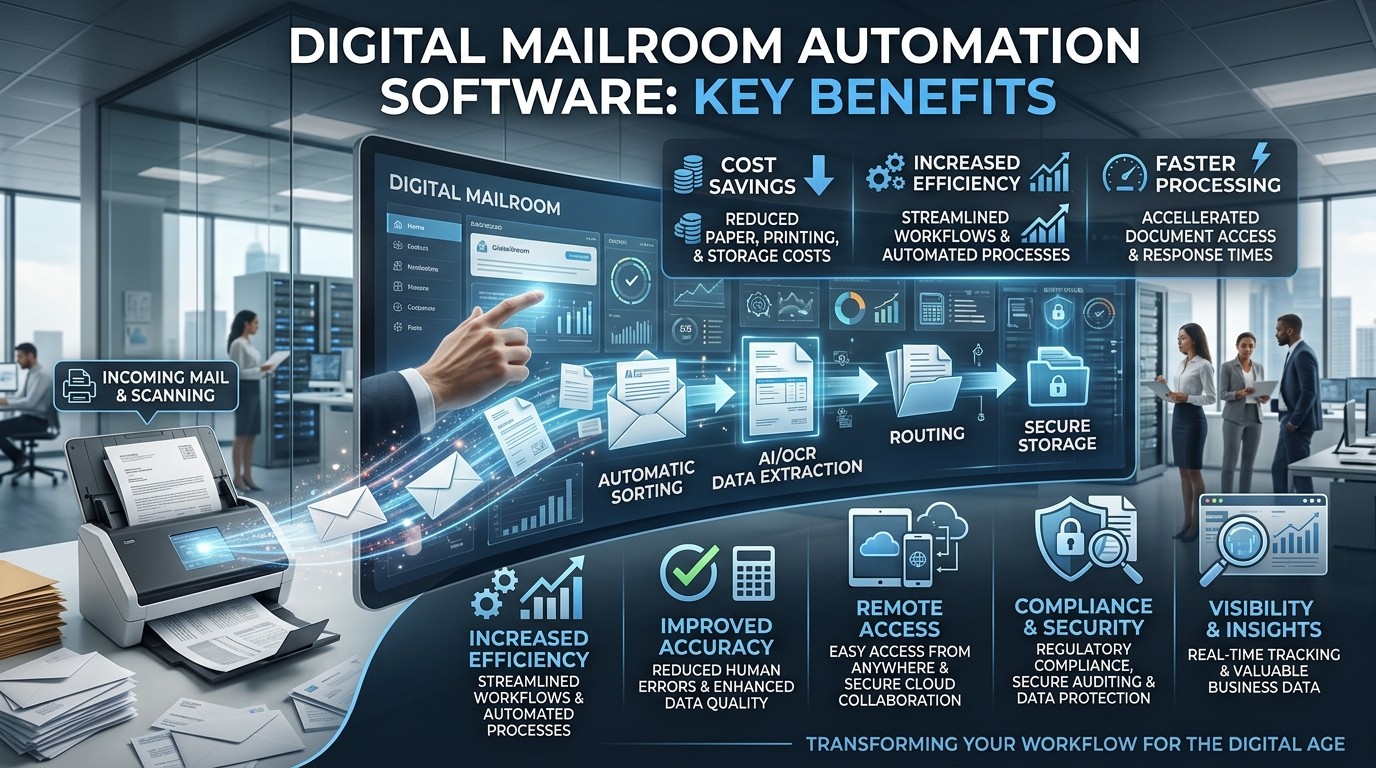
Digital mailroom automation software helps organizations process incoming mail faster, reduce errors, improve compliance, and deliver better customer service through intelligent routing, capture, and tracking.
Businesses receive a growing mix of paper mail, scanned documents, forms, invoices, letters, and internal communications every day. When that information moves through manual sorting and routing, delays build up quickly, errors become more common, and teams spend time on repetitive tasks instead of meaningful work. Digital Mailroom Automation Software solves that problem by turning document intake into a faster, smarter, and more trackable process.
The need for this kind of system is stronger now than ever. Organizations want speed, transparency, and better control over information flow, especially when customer expectations are high and compliance standards are strict. Digital Mailroom Automation Software helps businesses capture incoming documents, classify them automatically, route them to the right teams, and preserve an audit trail that supports accountability.
This is not just an operational upgrade. It is a workflow transformation that changes how teams think about incoming information. When businesses adopt Digital Mailroom Automation Software, they reduce dependency on manual labor, improve service response times, and create a more scalable way to manage communication across departments.
What It Does
Digital Mailroom Automation Software is designed to handle inbound mail and documents in a structured, digital-first way. Instead of relying on staff to open envelopes, sort items, interpret documents, and manually forward them, the software automates much of that process through scanning, OCR, data extraction, and workflow rules. This creates a faster and more reliable path from receipt to action.
The software can manage both physical and electronic inbound information. That means paper letters, invoices, contracts, forms, packages, and scanned files can all enter through a single controlled process. Digital Mailroom Automation Software then identifies the content, assigns metadata, and sends the item to the right destination based on predefined logic.
This kind of control matters because business information often loses value when it sits in a queue. The faster the right person gets the right document, the faster decisions can be made. Digital Mailroom Automation Software shortens that cycle and helps teams operate with more confidence.
Core functions
- Capture incoming documents from physical and digital channels.
- Classify document types using automation and rules.
- Extract important data fields with OCR and intelligent recognition.
- Route items to the right person, department, or system.
- Store records securely for audit and retrieval.
Faster Processing
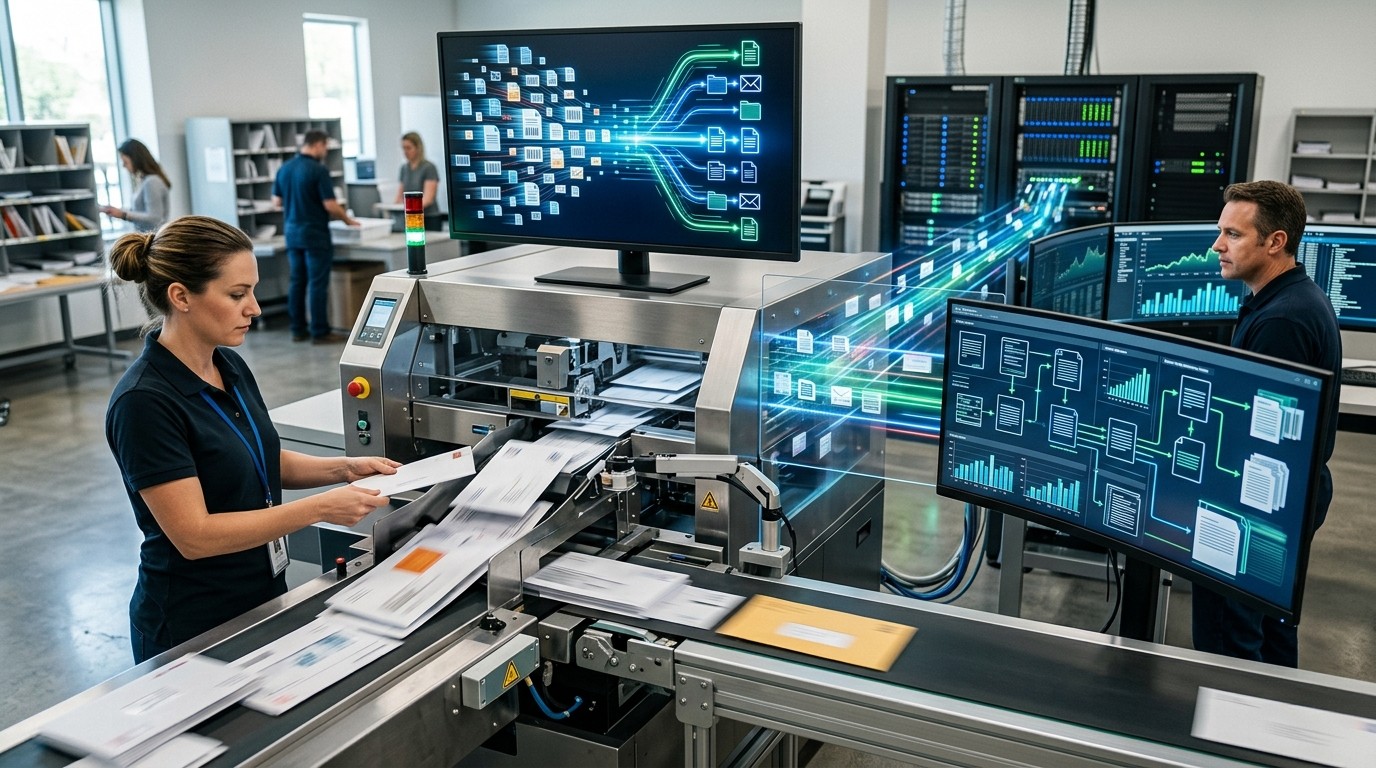
One of the biggest benefits of Digital Mailroom Automation Software is speed. Manual mail handling creates natural delays because each document must be opened, reviewed, sorted, and forwarded by a person. In a busy organization, that process can easily become a bottleneck, especially when mail volume spikes.
Digital Mailroom Automation Software removes many of those delays by automating the intake path. Documents are scanned, identified, and distributed more quickly, often within minutes instead of hours or days. That makes it easier for teams to respond to customers, partners, vendors, and internal stakeholders without waiting on the mailroom.
Speed has a psychological effect too. People feel more confident in a process when it is responsive and predictable. When a customer sends something important, quick acknowledgment can reduce anxiety and improve trust. Digital Mailroom Automation Software supports that sense of responsiveness by shrinking the gap between receipt and action.
This faster processing also improves interdepartmental coordination. Finance, HR, legal, operations, and customer service teams all benefit when information arrives on time. A simple delay in routing can affect billing, onboarding, approvals, or compliance workflows. Digital Mailroom Automation Software helps prevent those problems before they spread.
Higher Accuracy
Manual handling always carries the risk of human error. Someone may sort a document into the wrong queue, misread a form, mistype a reference number, or forget to forward a critical file. Digital Mailroom Automation Software reduces those risks by using structured rules and recognition technology to improve consistency.
Accuracy matters because many mailroom documents are time-sensitive and high-value. An invoice sent to the wrong team can delay payment. A legal notice routed incorrectly can create serious business risk. A benefits form entered with the wrong data can frustrate employees or customers. Digital Mailroom Automation Software lowers the chance of those mistakes by standardizing the process.
It also helps reduce ambiguity. Instead of depending on one person’s interpretation, the system can apply repeatable logic based on document type, sender, keywords, barcode data, or extracted fields. That makes the workflow more dependable and easier to audit over time.
For organizations that care about quality control, this is a major advantage. Digital Mailroom Automation Software creates a more disciplined process and helps teams work with cleaner information from the start.
Better Compliance
Many organizations operate under strict compliance requirements. That may include data privacy rules, audit expectations, retention policies, or industry-specific regulations. When mail is handled manually, it becomes harder to prove who touched what, when it was processed, and where it was sent. Digital Mailroom Automation Software improves this by creating a digital record of each step.
Audit trails are one of the most useful features in this area. Every scan, transfer, acknowledgment, and routing action can be tracked and stored. That makes it much easier to demonstrate process integrity during internal reviews or external audits. Digital Mailroom Automation Software adds visibility that paper-based systems rarely provide.
Compliance also depends on reducing uncontrolled access. Physical mail can be misplaced, read by the wrong person, or delayed in unsecured areas. Digital mail handling allows organizations to enforce permissions, restrict access, and manage storage more carefully. That improves data security while still keeping documents accessible to the right people.
This is especially important in regulated environments such as healthcare, financial services, insurance, and public sector operations. In these industries, Digital Mailroom Automation Software helps reduce risk while making compliance easier to manage day to day.
Compliance benefits
- Clear audit trails for every incoming item.
- Controlled access to sensitive documents.
- Better retention and retrieval practices.
- Reduced risk of lost or mishandled mail.
- More reliable evidence for governance reviews.
Lower Operating Costs
Another major reason businesses adopt Digital Mailroom Automation Software is cost reduction. Manual mail handling requires labor, physical space, printing, storage, and repeated administrative effort. Even if each task seems small, the total cost becomes significant over time. Automation helps reduce those recurring expenses.
Staff members who previously handled sorting and distribution can focus on higher-value work. That does not always mean cutting headcount; often it means reallocating time to more strategic tasks. Digital Mailroom Automation Software makes the existing team more productive by removing repetitive work from the day.
Cost savings also come from fewer errors and less rework. When documents are routed incorrectly, teams waste time fixing the mistake. When important mail is delayed, the business may face late fees, lost opportunities, or customer dissatisfaction. Digital Mailroom Automation Software reduces those hidden costs by improving process reliability.
Over the long term, the return on investment can be strong. Once the system is in place, the organization can handle larger mail volumes without adding the same level of manual labor. That scalability is one of the most practical financial benefits of Digital Mailroom Automation Software.
Better Customer Service
Customer service improves when information reaches the right team quickly. If a customer submits a claim, request, complaint, or form, delays in routing can damage the experience. Digital Mailroom Automation Software helps shorten response times and gives service teams faster access to the information they need.
In many businesses, customers do not care how a document enters the organization. They care that it is received, processed, and handled correctly. Digital Mailroom Automation Software helps create that seamless experience by reducing waiting time and improving visibility into document status. That creates a more professional impression.
This matters even more when communication is tied to urgency. A customer waiting on benefits, support, approvals, or billing updates may become frustrated if the process feels slow or uncertain. Digital Mailroom Automation Software makes the process feel more responsive, which reduces friction and helps preserve trust.
Service quality is also improved because staff can spend less time searching for files and more time solving problems. When information is organized and traceable, teams respond with more confidence. That can lead to better outcomes across the customer journey.
Centralized Document Control
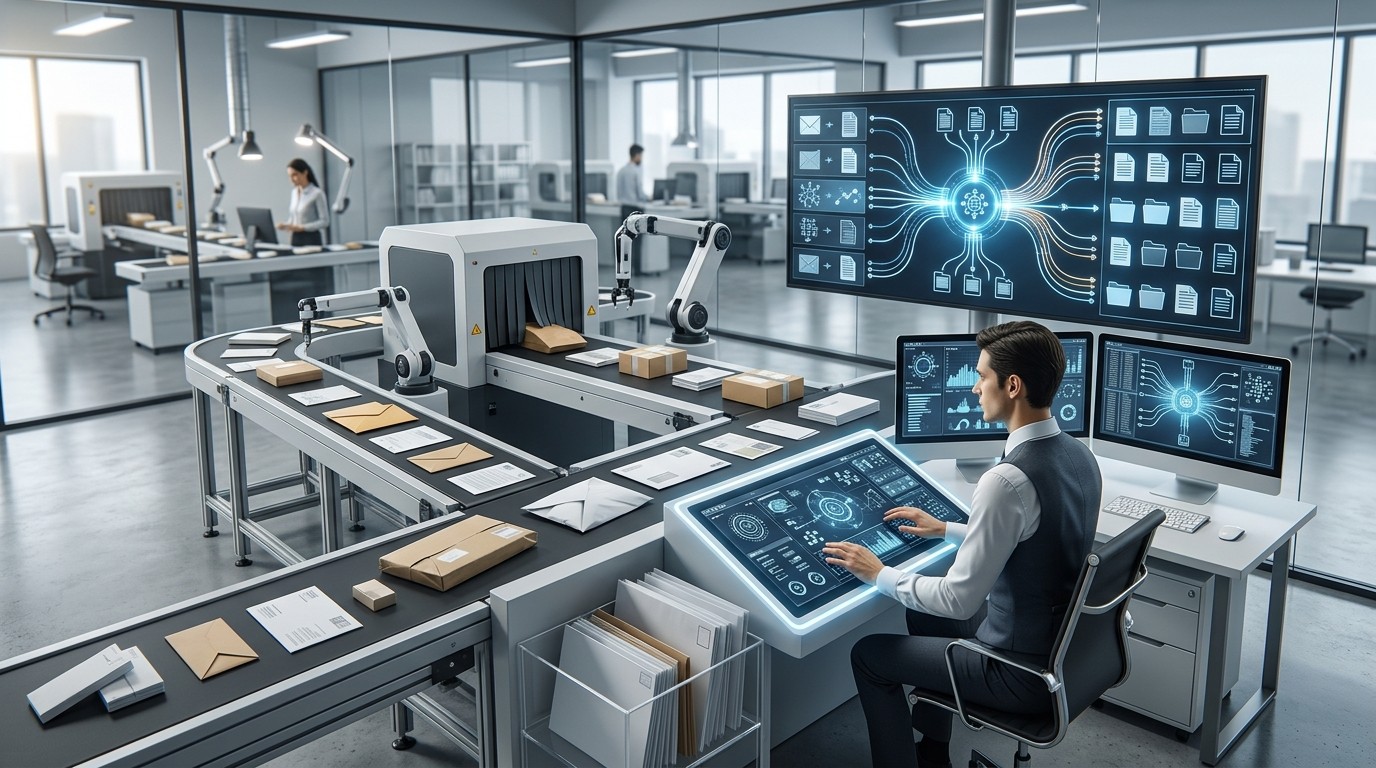
One of the biggest hidden advantages of Digital Mailroom Automation Software is centralization. Instead of documents arriving in multiple places and being handled differently by different people, the software creates a single intake process. That makes the entire operation easier to manage.
Centralization helps reduce confusion. When everyone knows where documents go and how they are processed, there is less risk of duplication, loss, or delay. Digital Mailroom Automation Software gives businesses a structured method for managing all inbound mail in one place.
Sales Order Automation Software is also useful for multi-location organizations. Offices in different regions may receive mail differently, but the same software can unify the workflow. That means corporate teams can monitor activity, standardize procedures, and maintain consistent rules across the business.
A centralized system also makes reporting easier. Managers can review volume trends, processing times, bottlenecks, and service levels from one dashboard or reporting layer. Digital Mailroom Automation Software turns mail handling into a measurable operational function rather than an invisible administrative task.
Improved Scalability
Growth is often where manual processes break down. A small team may be able to manage mail effectively at one volume, but as the organization grows, the process becomes slower and harder to control. Digital Mailroom Automation Software scales better because it handles increases in volume without requiring the same proportional increase in labor.
This is particularly helpful for seasonal businesses, large service providers, and companies experiencing rapid expansion. When mail volume rises, the system can keep moving items through the workflow without losing structure. That gives management more confidence during busy periods.
Scalability is not only about volume. It is also about complexity. As companies add departments, locations, or service lines, routing rules become more complicated. Digital Mailroom Automation Software supports that complexity through configurable workflows and automated decision paths.
For many organizations, this becomes a long-term advantage rather than just a convenience. A system that can grow with the business reduces future disruption and supports more predictable operations.
Better Visibility and Tracking
When mail is handled manually, visibility is often limited. Someone may know that a document arrived, but not where it went afterward. That creates uncertainty and slows down follow-up. Digital Mailroom Automation Software improves visibility by tracking each step of the document journey.
This tracking helps teams answer practical questions quickly. Did the item arrive? Was it scanned? Who received it? Is it pending approval? Has it been archived? Digital Mailroom Automation Software gives businesses better answers to those questions, which improves accountability.
Tracking also supports issue resolution. If a document is delayed, the system can help identify where the delay happened. That saves time and reduces guesswork. In a business setting, that can make the difference between a minor delay and a major process failure.
The value of visibility goes beyond operations. It also creates confidence among stakeholders. When a process is transparent, people trust it more. Digital Mailroom Automation Software helps create that transparency through consistent tracking and reporting.
Document Security
Security is another major reason organizations move toward digital mailroom workflows. Physical documents can be lost, damaged, or accessed by unauthorized people. Digital Mailroom Automation Software creates a more controlled environment for sensitive information by managing access, storage, and transfer more carefully.
Security features may include role-based permissions, encryption, audit logs, and secure routing. These controls reduce the chance of unauthorized handling. Digital Mailroom Automation Software also helps organizations keep a more complete record of who accessed what and when.
This matters in any environment dealing with personal data, financial records, legal files, or confidential business communication. A secure digital system is easier to monitor than a paper-based workflow spread across desks, filing cabinets, and internal handoffs. Digital Mailroom Automation Software helps reduce the exposure points.
Security also supports business continuity. If an office closes, mail volume spikes, or staff are unavailable, digital access can keep operations moving. That resilience makes the process more dependable overall.
Smarter Workflow Automation
The best mailroom systems do more than scan paper. They connect intake with workflow automation, making it easier to move documents into the right business process. Digital Mailroom Automation Software can trigger approvals, notify staff, create tasks, and send items into downstream systems.
This is where the real business value becomes obvious. Instead of treating mail as a separate administrative job, the organization turns it into a connected part of operations. That makes work faster and reduces the chance that documents sit idle after intake.
Automation also improves consistency. The same type of document can always follow the same path, which reduces uncertainty and makes training easier. Digital Mailroom Automation Software helps teams trust the process because it behaves the same way every time.
Businesses that manage large document volumes often compare workflow tools the way they compare Top Rated App Marketing Agencies or a Professional App Marketing Agency: they look for reliable results, process maturity, and clear business value. That same logic applies here. The best system is the one that works consistently in real operations.
Better Employee Experience

A mailroom process may seem like a back-office function, but it affects employee experience more than many teams realize. If staff members constantly wait for documents, search for misplaced files, or handle repetitive manual steps, frustration grows. Digital Mailroom Automation Software reduces that friction.
Employees benefit when the information they need is available quickly and accurately. That helps them do their jobs with fewer interruptions. It also reduces the mental load of chasing documents or correcting errors. Digital Mailroom Automation Software makes daily work feel more organized and less chaotic.
This is important in hybrid and distributed work settings too. When teams are not all in one office, a paper-heavy process becomes harder to manage. Digital Mailroom Automation Software supports remote access and coordinated workflows, which makes collaboration easier.
A better employee experience also helps retention. People prefer systems that support their work rather than slow them down. Clean, reliable information flow is part of that experience.
Comparison Table
How to Evaluate a Solution
Choosing the right Digital Mailroom Automation Software starts with understanding your current workflow. You need to know where mail comes from, who handles it, what documents matter most, and where delays usually happen. Once that is clear, you can evaluate features against real operational needs.
Look at capture quality, routing logic, integration options, reporting depth, and security controls. The software should support your existing systems instead of forcing a disruptive rebuild. Digital Mailroom Automation Software works best when it aligns with business processes rather than complicating them.
It is also smart to think about user adoption. If the system is too complex, staff may avoid using it properly. The right solution should be intuitive enough for operations teams while still offering enough control for managers and compliance leaders.
Implementation support matters too. A strong vendor will help configure workflows, train users, and adjust routing rules as the business evolves. That makes Digital Mailroom Automation Software more sustainable over time.
Conclusion
Digital Mailroom Automation Software gives businesses a smarter way to handle incoming mail, documents, and information across departments. It improves speed, accuracy, compliance, security, and service quality while reducing the manual effort that often slows operations down. For organizations that deal with high document volumes or strict process requirements, the value can be significant.
The biggest advantage is not just automation itself. It is the way the software creates a more controlled, transparent, and scalable workflow. When businesses can trust how documents enter and move through the organization, they make better decisions and serve people more effectively. Digital Mailroom Automation Software is therefore not only an efficiency tool but also a strategic business upgrade.
Frequently Asked Questions (FAQ)
1. What is Digital Mailroom Automation Software?
Digital Mailroom Automation Software is a system that captures, classifies, routes, and tracks incoming mail and documents automatically.
2. Who should use it?
Any organization handling significant volumes of mail, forms, invoices, legal documents, or customer communication can benefit from it.
3. Does it only work with paper mail?
No. It can also manage digital inbound documents such as scanned files and email-based intake.
4. How does it improve compliance?
It creates audit trails, controls access, and helps organizations manage records more consistently.
5. Can it reduce costs?
Yes. It lowers manual labor, reduces rework, and improves workflow efficiency.
6. Is it useful for small businesses?
Yes, especially if the business handles sensitive or frequent inbound documents and wants better control.
7. Does it replace employees?
Not necessarily. It usually reduces repetitive tasks so staff can focus on higher-value work.
8. Can it integrate with other systems?
Many solutions can connect with document management, ERP, CRM, or workflow platforms.
9. Is it secure?
When configured properly, it can be more secure than paper-based handling because of access control and tracking.
10. Why is it important now?
Because businesses need faster operations, better transparency, and stronger control over incoming information in a digital-first environment.